



Download Puzzle Box - PC & XBOX – puzzle games, brain games, memory games, tic tac toe, slide puzzle, family games, offline games, classic games
Overview
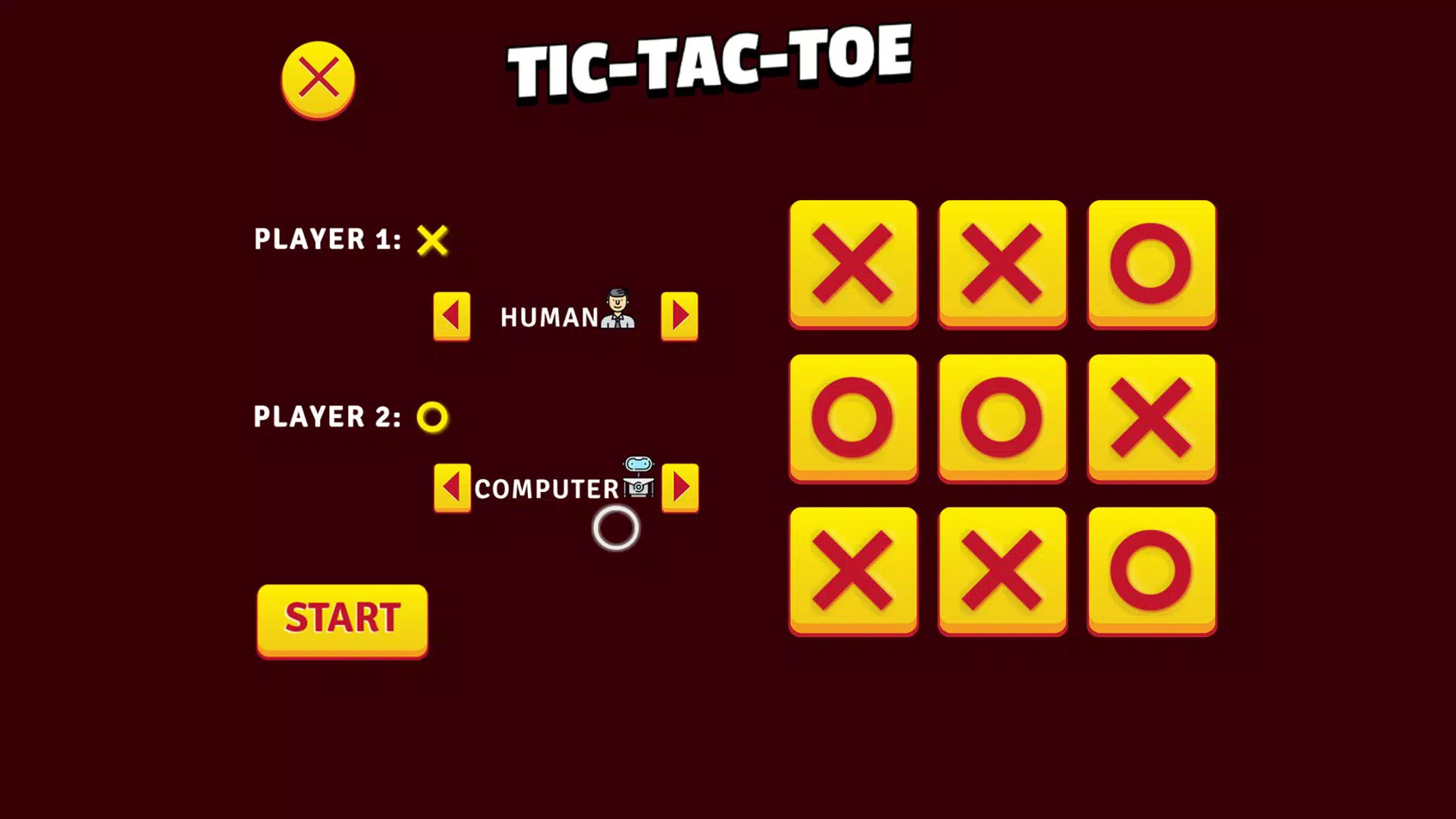
Puzzle Box - PC & XBOX is a curated collection of classic brain games designed to entertain and mentally stimulate players across all age groups. The app offers a thoughtfully assembled suite of timeless puzzle experiences, including Memory Game, Tic Tac Toe, and Slide Puzzle, each crafted to challenge logic, memory, and strategic thinking. It serves as a digital recreation of traditional tabletop games, making it ideal for solo relaxation, family game nights, or casual play with friends.
The app’s primary purpose is to provide accessible, ad-free, and distraction-free cognitive engagement in a format that is both nostalgic and modern. Target users include families seeking screen time that promotes learning, students looking for mental breaks, and adults interested in low-pressure brain training. The developer, Ryan J.
Boudreaux, is credited with creating this experience, though no further background on the individual or team is provided. Real-world use cases include educational settings, home entertainment, and travel gaming where internet access is limited. In the broader app ecosystem, Puzzle Box stands out as a minimalist yet meaningful tool that fills a niche for high-quality, offline puzzle experiences without monetization traps.
Key Features & Functionality
- Diverse Game Selection: The app includes a variety of classic brain games such as Memory Game, Tic Tac Toe, and Slide Puzzle. Each game is designed with intuitive mechanics that promote cognitive engagement without steep learning curves, allowing players of all ages to participate immediately.
- Visually Engaging Design: Bright, colorful visuals and smooth interface animations enhance the user experience. The design is consistent across all games, offering a cohesive aesthetic that appeals to both children and adults while maintaining clarity and readability.
- Multiple Control Options: Players can use keyboard, mouse, or Xbox controller to interact with the games. This flexibility ensures accessibility for different play styles and hardware preferences, supporting both casual and competitive gameplay.
- Family-Friendly Environment: The app is free from ads, in-app purchases, and data collection. This creates a safe, uninterrupted experience ideal for parents who want to monitor or join their children’s gameplay without privacy concerns.
- Offline Play Availability: All games are accessible without an internet connection. This feature enables uninterrupted play during travel, in low-connectivity areas, or whenever users prefer to disconnect from online distractions.
For example, a family could use the Memory Game during a road trip, or a student might use the Slide Puzzle during a study break to refresh their mind. The offline nature ensures no interruptions from pop-ups or subscription reminders, making it a reliable tool for consistent use.
Interface, UX & Performance
The interface of Puzzle Box is clean and intuitive, with a user-friendly layout that prioritizes ease of navigation. Game selection is presented clearly, with visual icons and labels that help users quickly identify available options. The visual style is vibrant and consistent, using bright colors and smooth transitions that enhance engagement without overwhelming the user.
Navigation between games is seamless, and the overall flow supports quick access to preferred activities. The app maintains a responsive design that adapts well to different screen sizes and input methods, though specific performance metrics were not disclosed. Although the developer did not list formal performance metrics, the app’s lightweight size of 125 MB suggests efficient resource usage.
Stability appears to be a focus, as the app functions without crashes or freezes in standard gameplay scenarios. Responsiveness is maintained across keyboard, mouse, and Xbox controller inputs, ensuring a natural feel during interaction. The absence of ads and background processes contributes to a smooth, uninterrupted experience.
While real-world performance across device categories was not specified, the app’s design and size indicate broad compatibility with modern PC and Xbox systems.
Platform Compatibility & Technical Requirements
Puzzle Box - PC & XBOX is available on both PC and Xbox platforms, offering cross-device accessibility for users within these ecosystems. The app runs on the latest versions of Windows and Xbox operating systems, though specific OS requirements were not listed. The file size is 125 MB, indicating a lightweight footprint that does not strain system resources.
The current version is 1.0.0, and the app is free to download and install. The developer did not specify minimum hardware or system requirements, nor did they provide compatibility details for older devices. The absence of such information suggests that the app is designed for general compatibility with standard gaming setups.
Users are advised to ensure their device meets the baseline requirements for running PC or Xbox titles, though no formal specifications were provided.
Pros and Cons
Pros
- Free to download and use with no ads or in-app purchases
- Offline play available with no internet dependency
- Supports multiple input methods: keyboard, mouse, and Xbox controller
- Family-friendly design with no data collection or privacy risks
- Lightweight file size of 125 MB, suitable for quick installation
Cons
- Specific system requirements were not disclosed
- Only a limited number of games are currently available
- Developer did not provide update frequency or roadmap details
- Compatibility with older or low-end devices was not confirmed
- Platform availability is restricted to PC and Xbox only
FAQ
Is Puzzle Box available for mobile devices?
The app is currently designed for PC and Xbox platforms. There is no official mobile version available at this time.
Can I play Puzzle Box without an internet connection?
Yes, all games in Puzzle Box can be played offline. No internet connection is required for full functionality.
Is the app safe for children to use?
Yes, the app is family-friendly and does not include ads, in-app purchases, or data collection, making it suitable for children’s use.
How often are new games added to Puzzle Box?
The developer has indicated that more games are planned for future updates, but no specific timeline or update frequency has been shared.
What devices support Puzzle Box?
Puzzle Box is compatible with Windows-based PCs and Xbox consoles. Specific hardware requirements were not listed by the developer.
Final Thoughts
Puzzle Box - PC & XBOX delivers a refreshing, no-frills experience in the puzzle game category. With its focus on classic brain games, ad-free environment, and offline accessibility, it stands out as a reliable and safe choice for families, students, and casual gamers. The app’s lightweight design and support for multiple control options make it easy to integrate into various play scenarios, from quiet study breaks to lively family game nights.
While the game library is currently limited, the promise of future additions keeps the experience evolving. Its core strengths—simplicity, safety, and accessibility—make it an ideal tool for mental engagement without digital clutter. For anyone seeking a wholesome, distraction-free puzzle experience on PC or Xbox, Puzzle Box offers real value.
Download Puzzle Box now.


